AntTek Explorer EX Pro v4.1.3 APK


The most intuitive, useful and simple, speedy File Manager!


AntTek Explorer EX
play.google.com.explorerex
This is the first multi-panel file explorer on Android OS. It features “Drag & drop anywhere” to bring the best user experience.

Drag and Drop anywhere
  • Drag and drop anywhere

  • Seamlessly copy/move files from different panels or from local to server
Flexible layout customization
  • 6 different panels to select: Overview, temporary box, etc.,

  • Contextual toolbar to easily drag and drop

  • Optimize panels for both phone and tablet

  • Collapsible panels
File browser
  • Manage local file (SDCard)

  • Manage system partition (if rooted)

  • Streaming from remote file server for audio and video

  • Access to unlimited cool/free themes
Root file manager
  • Browse private partitions (i.e. /data, /system) as regular files on SDCard

  • Delete system/stock/bloatware apps

  • View system files

  • Auto-remount partitions
Cloud explorer – cloud files as in your local
  • Google Drive, 

  • SkyDrive, 

  •  Dropbox
Network – seamlessly browsing files
  • Samba/CIFS/Window shared/

  • FTP/FTPs
Utilities
  • Cool music player with full equalizer

  • Storage detail information

  • Nice home screen widgets & shortcuts
Build-in viewers
  • Pictures viewer

  • TIFF viewer 

  • Zip/Rar viewer

  • APK viewer

  • Source code viewer: support more than 13 programming languages (java, C, php, perl, etc.,)
Themes
  • Dark/Light

  • Pinky, Android, Wooden, etc.
Quick search
  • Quick search all sd card
More details:
  • Browse, copy, cut, paste, delete, rename, send, zip, unzip over Linux-file entry,

  • Build-in viewer for text, image, video files and text editor, zip viewer, apk viewer

  • Configurable dual panels view for large screen

  • Quick browsing with bookmarks and shortcuts,

  • Smart toolbar that commits the best user experiences,

  • Internal viewers for apk, zip, image, text files.

  • Look and feel with different view modes, sort modes, beautiful icon set, multiple selection operation,
What’s in this version : (Updated : Sep 20, 2013)
  • Fixed deleting original folder after copying bug,

  • Fixed crash when browse SkyDrive folder,

  • Added a new dark theme,

  • Statistic data now can be disabled,

  • Fixed some minor bugs.
Required Android O/S : 2.2+


Screenshots :
AntTek Explorer EX - screenshot


Download : 3M APK


AntTek Explorer EX Pro v4.1.3 APK

Lustre (adw nova apex icons) v2.0.0 APK


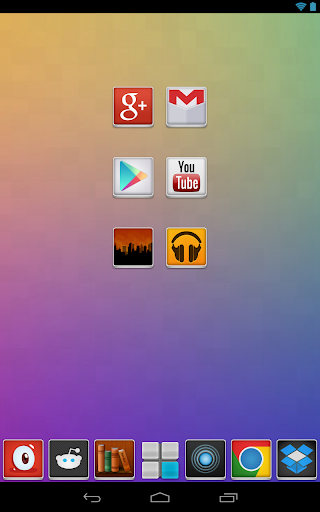
Lustre brings vibrant color and crisp imagery to your homescreens. Check it out!


Lustre (adw go apex theme) 
play.google.com.theme.lustre
This is a launcher theme (for ADWEX, ADW.Launcher, LP, GO & more!) and will not alter the look of your status bar, notifications or anything else. It WILL change the graphics and icons for many popular launcher replacements!

Features:
  • New graphics for dock bar (ADW & Go)!

  • Over 150+ custom icons!

  • Themed search widget!

  • Custom docks!

  • Wallpaper gallery included!

  • ADW Theme support

  • Go Launcher EX theme support

  • Launcher Pro theme support (limited to icons)

  • Support for Desktop Visualizer

  • Support for Folder Organizer
Notes:
  • ADW users need to manually change the app drawer icon on their homescreen. It can not be done automatically. Long-press or double-tap, choose edit. Select the icon and then choose ADWTheme IconPacks. Choose Lustre and then pick the icon of your choosing. We’ve included a couple!

  • More icons are due to be added over time. Do you see missing icons in your app drawer? Please email us with requests. We want you to be satisfied with your purchase and will work to add new icons for whatever we have missed.

  • Regarding ‘MovetoSD’ availability: If the app is moved to SD Card, you risk the custom icons not loading properly because of how the system loads the SD card OR the theme not being active after a device restart.

  • Launcher Pro users may need to wipe data if they are having ‘Force Close’ issues. Phone Settings > Applications > Manage Applications, choose Launcher Pro, select ‘Clear Data’ and then try to load the icons again.

  • Icons may also work with Apex Launcher, Nova Launcher, mxHome, Launch-X, Crazy Home Lite, dxTop Lite, Open Home paid, Open Home free, VTL Launcher, Circle Launcher Paid and more!

  • If you are having trouble – EMAIL US! Seriously, send us an email and help us to help you. If you want to request icons to be created, send an email for that as well.
?DESIGNED FOR XHDPI. YOUR RESULTS MAY VARY WITH OTHER SCREEN RESOLUTIONS?

What’s in this version : (Updated : Sep 30, 2013)
  • New dashboard, includes icon searching

  • Wallpapers are now stored in cloud (INTERNET.PERMISSION)

  • Save walls to storage for lockscreen use

  • The Apply page is now smarter and more robust

  • Icons are sorted, includes a “NEW” category for recent additions

  • Connect with us via social network links

  • Help section, to be expanded with more video tutorials

  • Fixed numerous activity issues

Required Android O/S : 1.6+


Screenshots :


Download : 17Mb APK


Lustre (adw nova apex icons) v2.0.0 APK

Weaphones: Firearms Simulator v2.1.0 APK


Weaphones is the ultimate firearms simulator for your phone or tablet !


Weaphones: Firearms Simulator 
play.google.com.weaphones
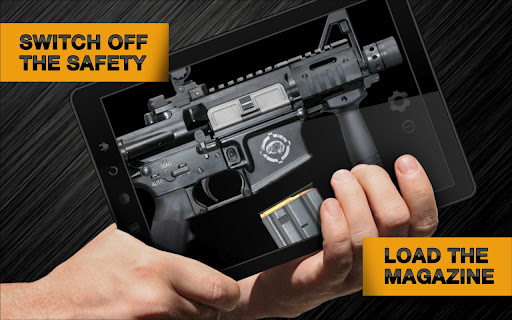
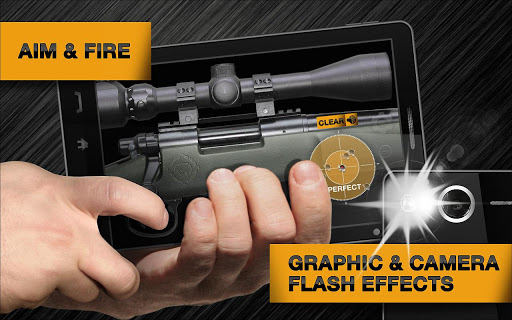
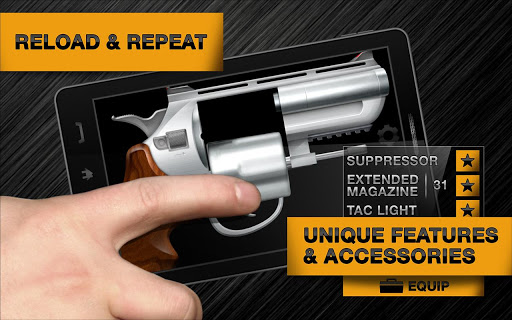
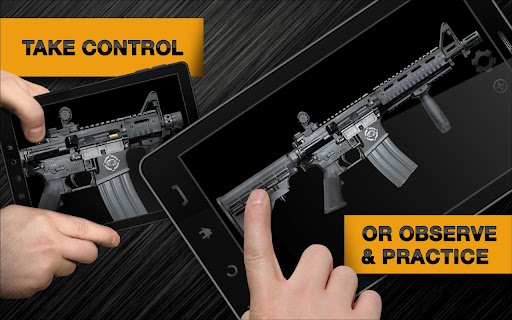
Blurring the line between digital and physical, Weaphones combines the two to create a fully interactive real world experience. Switch off the safety, load the magazine, rack the slide and fire, all without having the cops called on you.

Ergonomically designed, Weaphones fit naturally into the shooter’s hand. All the important controls are located within a finger’s reach. The ability to resize, flip and relocate the Weaphone assures perfect fit no matter the size of hand or screen.

For the price of a couple of 5.56mm rounds you can have a full arsenal of Weaphones… and you won’t shoot your eye out.

Features:
  • Authentic Sound Effects

  • Firing and Shell Ejection Animations

  • Full Interaction and Control

  • Realistic Weapon Mechanics

  • 100% Customizable to Fit User’s Hand Size and Preference

    • Lefty Flip

    • Rotate 180°

    • Scale

    • Location
  • User Adjustable Variables

    • Unlimited Ammo ¹

    • Delay Timer ³
  • Weapon State Indicator (“Why Am I Not Shooting”)

  • Ultra Detailed Step-By-Step Animated Tutorial

  • Multi-Touch Support

  • Social Media Driven Future Content
Functional Features:
  • Trigger ¹

  • Slide/Charging Handle ¹

  • Magazine Release ¹

  • Safety/Fire Selector ¹

  • Slide/Bolt Release ¹

  • Accessory ¹

  • Hammer ²

  • Pin ³

  • Spoon ³
What’s in this version : (Updated : Sep 18 2013)
  • Added a Carry Handle Option to the WM-AR4 (Under Optics)

  • Fixed Moving Magazine Rounds Effect on AUS Gewehr A3

  • Fixed a Bug Where Rounds Would Eject On Slide Locked Back

  • Improved Cover and Firing Mechanics on the SWARM-249

  • Bug Fixes and Improvements
Reqired Android O/S : 2.2+


Screenshots :


Download : 33Mb APK


Weaphones: Firearms Simulator v2.1.0 APK

AIVC (Alice) - Pro Version v3.1 APK


AIVC – Artificial Intelligent Voice Control. Control your mobile with your voice!


AIVC (Alice) – Pro Version 
play.google.com.aivc
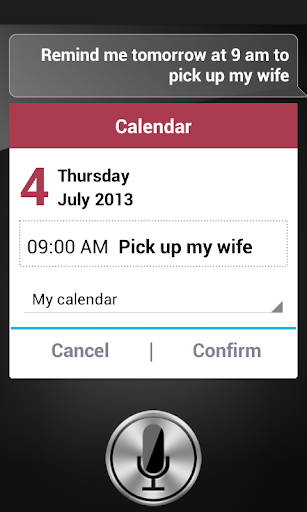
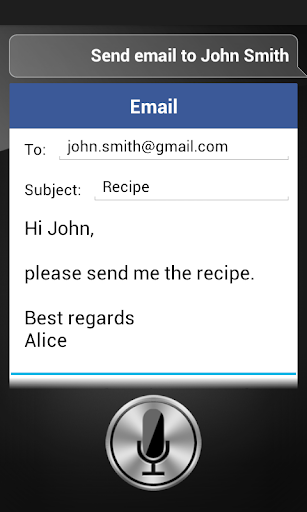
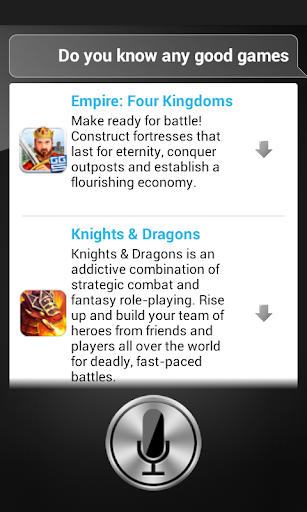
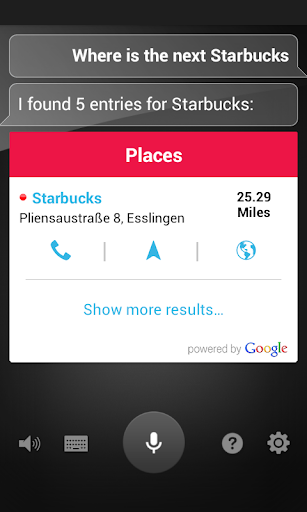
Alice is your personal assistant. Alice can help you do things quickly and easily.
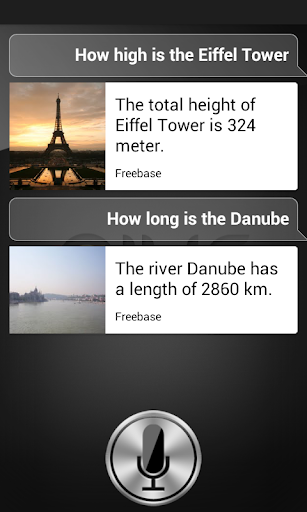
With Alice, Android users get a helpful assistant at hand, which understands more than just commands.
You can have a conversation with Alice, give her instructions or ask for general terms of information.

Currently Alice can assist you with following functions:
Call, SMS, Email, Translation, Navigation, Alarm, Timer, App Launcher, Calculator, Facebook, Websearch, Weather, Search images.. and many many more.

Additional to the lite version: Calendar, Play Music / Videos and Receiver Control for Enigma2, Dialog-Mode, Listen in Background.

Alice knows a lot and is constantly learning new things, some examples:
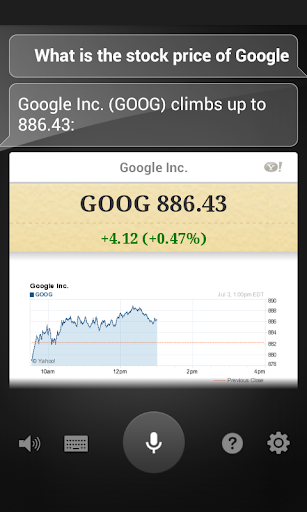
  • Do I need Sunglasses?

  • How far is it from New York to San Fransisco?

  • Director of Inception

  • Zap to CNN

  • Set up a meeting on monday at 12 o’clock coffee with Megan

  • How does my day look on friday?

  • Play Whitney Houston – Step by step

  • Show me my pictures

  • How’s the weather?

  • Call John Smith

  • Send a message to John i’m coming later

  • Wake me up in half an hour

  • What is 5 + 7 * 3

  • How many contacts do I have?

  • How many songs do I have?

  • Set Timer for 20 seconds

  • What’s the definition of aspirin

  • Translate into german hello how are you

  • Start WhatsApp

  • What is 5 meters in miles

  • Do you know Barack Obama

  • Navigate me to the next McDonald’s

  • Make the light on

  • Show me New York on the map

  • How many contacts do i have? 

  • Post on Facebook what’s up?

  • Search for pizzeria in New York

  • Who is Angela Merkel?

  • Mute / Silent 

  • Navigate to New York

  • What is the capital of Germany

  • How many people live in Berlin?

  • How old is Rihanna?

  • When is her birthday?

  • Show me a picture of Michael Jackson
What’s in this version : (Updated : Sep 19, 2013)
  • Twitter Function: “Tweet It’s a nice day!”

  • Twitter Function: “Show my last Tweets”

  • Who is the president of (Country)?

  • Who is the prime minister of (Country)?

  • What is the license plate from (City)?

  • What is the population density of (Country)?

  • Who is the mayor of (City)?

  • In which party is (Person)?

  • Federal state / Rural district / Country of (City)?

  • Is (year) a leap year?

  •  WhatsApp Message (Text) Info: Contact must be selected manually because the automatic send does not allow.

  • Open WhatsApp conversation with …

  • Show me my apps

  • Bugfixes
Required Android O/S : 2.2+


Screenshots :


Download : 3Mb APK


AIVC (Alice) - Pro Version v3.1 APK

Color Splash Effect Pro v1.5.1 APK


Color Splash convert photos to gray and let you choose details in color!


Color Splash Effect Pro 
play.google.com.colorsplasheffect.pro
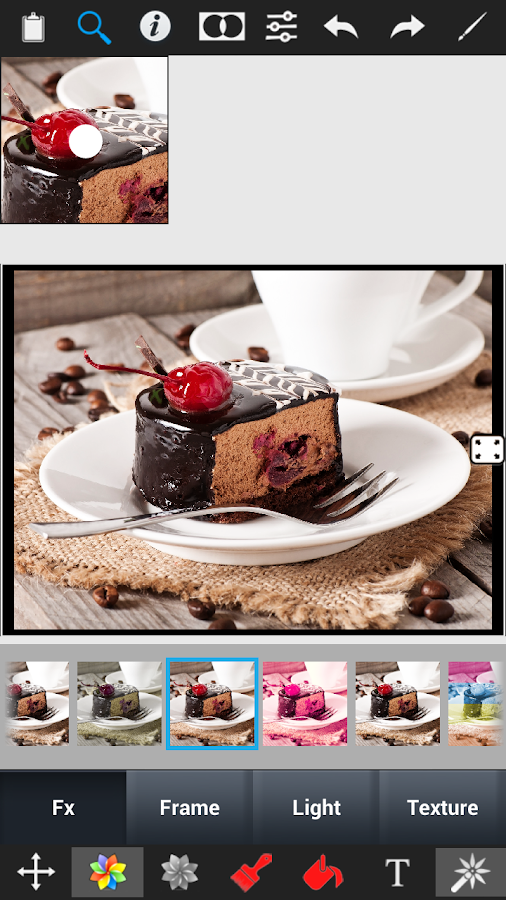
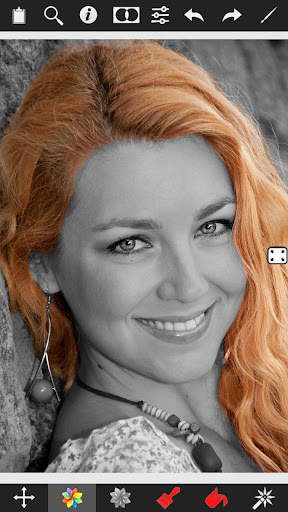
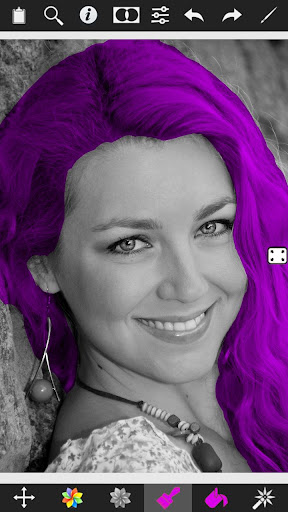
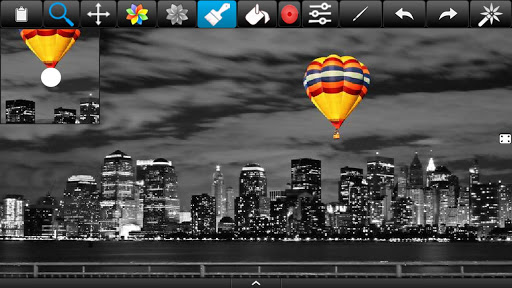
Color Splash Effect lets you quickly and easily give photos a dramatic look by converting them to black and white, while keeping your chosen details in color. This effect draws the viewers’ attention to the colored areas, creating striking images.

Most selective coloring apps give you 2 painting choices: Gray or original color. Color Splash Effect gives you this PLUS the ability to paint nearly ANY color!

The intuitive and responsive multi-touch user interface makes Color Splash Effect amazingly easy and fun to use. Use your finger as a brush to “paint” sections of your image black and white, or to bring back the original color. Zooming in and out using the two-finger pinching gesture allows you to work on details with pixel-accuracy.

Features:
  • Share your edited images on Facebook.

  • Save multiple sessions to resume your work later.

  • Undo any number of accidental brush strokes.

  • An alternative view mode highlights the regions that will remain in color with a red tint. This makes it easier to see and adjust the boundaries between color and black & white regions.

  • Choose from 4 different brushes (hard or soft edged, opaque or transparent)

  • Work in landscape or portrait orientation.

  • Hide the toolbars in full screen mode.

  • Optimized for tablets

  • Pinch zoom(zoom with fingers)

  • Scalable brush size

  • Change colors of your photos
What is more than others
  • Provides highest resolution results.

  • Provides landscape and portrait mode.

  • Two different user interface designs, one for phones and one for tablets.

  • Tablet design provide more space for photos.

  • Most realistic color replace operation unlike other apps.
What’s in this version : (Updated : Sep 19, 2013)
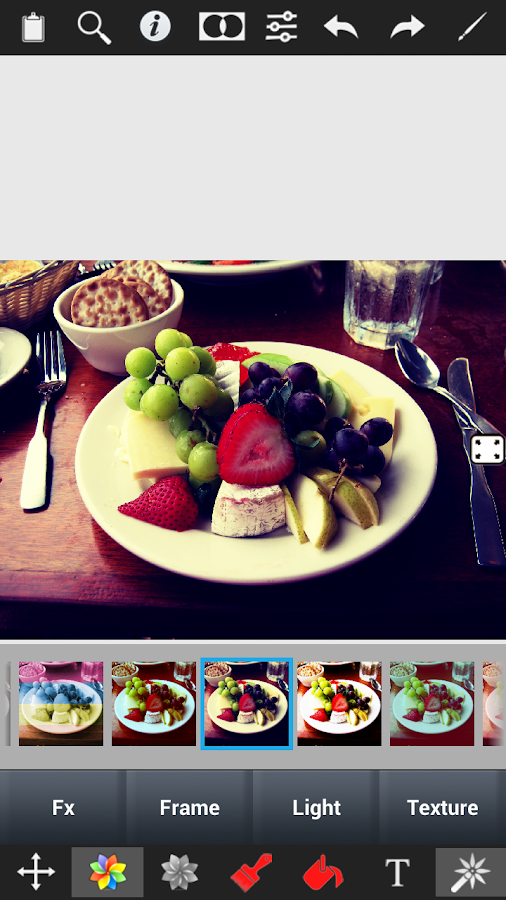
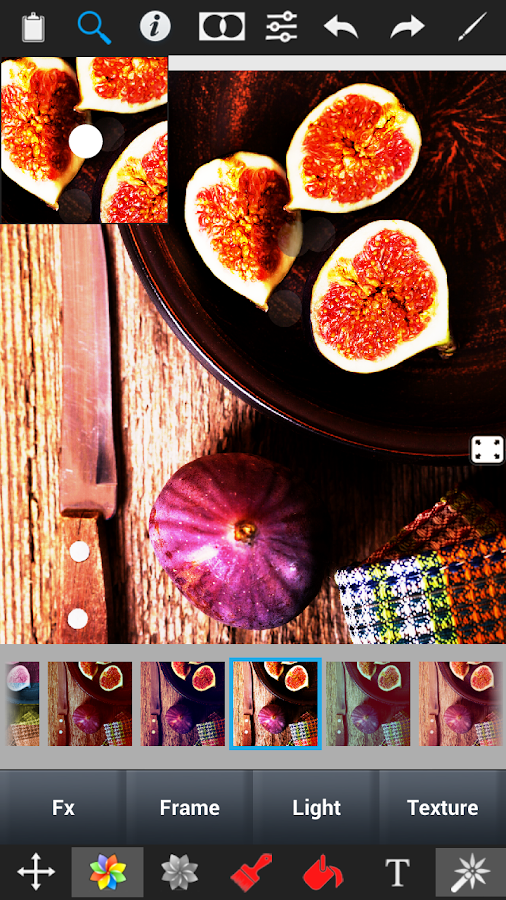
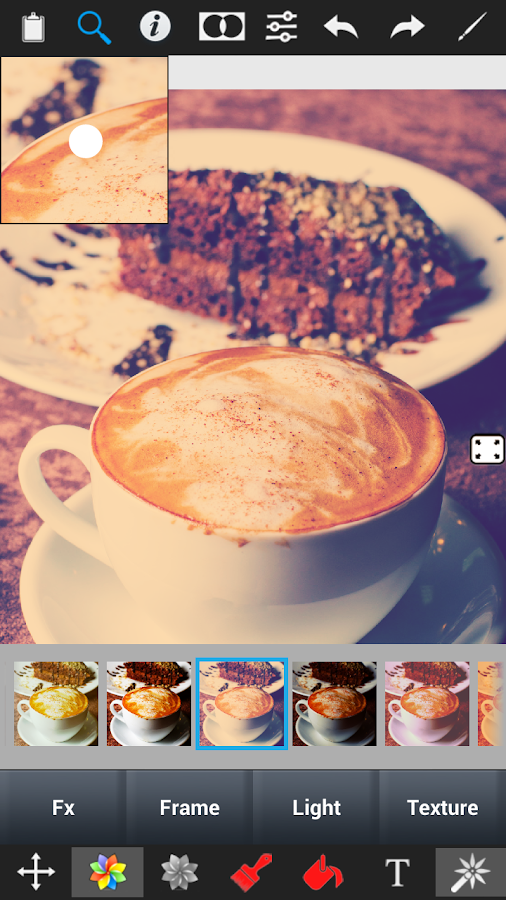
  • 21 new effects

  • 33 interesting and all new effects

  • 24 frames and borders

  • 18 special overlay light effects

  • 12 textures

  • Thousands of effect combinations

  • New Adjustment tools

  • Contrast adjustment

  • Warmth adjustment

  • Brightness adjustment
Required Android O/S : 2.1+

Screenshots :
Color Splash Effect Pro - screenshot Color Splash Effect Pro - screenshot


Download : 8.6Mb APK


Color Splash Effect Pro v1.5.1 APK