Flow Theme for CM9/CM10.1 v2.8.2 APK


Flow Theme for AOKP/CM10!


Flow Theme for CM9/CM10 
play.google.com.flow
This theme works with AOKP/CM9/10 and it supports [XHDPI/HDPI(the HDPI version still needs some work but i don't have an HDPI device to solve all the issues as fast as the XHDPI version)] screen resolutions! AND now works with Paranoid Rom too!

I tried to make this theme as bugfree as possible with a really clean and elegant look.
Almost every thing is theme with 15 unique new android icon redesigned from scratch!

You’ll really understand how great this theme looks on SAMOLED screens.

WHAT IS NEW TO THIS THEME?
  • Improved Soft keys

  • New keyboard theme

  • New very clean and modern blue system color

  • 15 New system icon with HD quality clean and sharp

  • and they give a new fresh look to Android

  • New cleaner settings look

  • New switchers

  • New Volume sliders

  • New Contacts design

  • New Messaging design

  • New clean and modern blue Spinner animation

  • New design for notification panel

  • New dialer

  • New and really awsome camera design!

  • Improved compatibility with Nova, Trebuchet and Apex Launchers
What’s in this version : (Updated : Sep 2, 2013)
  • Fixed Unthemed Dialer in Android 4.3

  • Fixed CM Small Circle Percentage Battery

  • New Spinners

  • New Dialer Design

  • Dark Themed MMS
Required Android O/S : 4.0+


Screenshots :
Flow Theme for CM9/CM10.1 - screenshot Flow Theme for CM9/CM10.1 - screenshot
 Flow Theme for CM9/CM10.1 - screenshot Flow Theme for CM9/CM10.1 - screenshot
Flow Theme for CM9/CM10.1 - screenshot Flow Theme for CM9/CM10.1 - screenshot

Download : 1.4Mb APK


Flow Theme for CM9/CM10.1 v2.8.2 APK

Sixaxis Controller v0.6.6 APK


Finally the wait is over… The ultimate gaming experience awaits!


Sixaxis Controller 
play.google.com.sixaxiscontroller
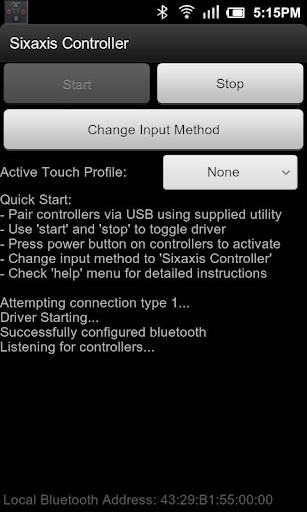
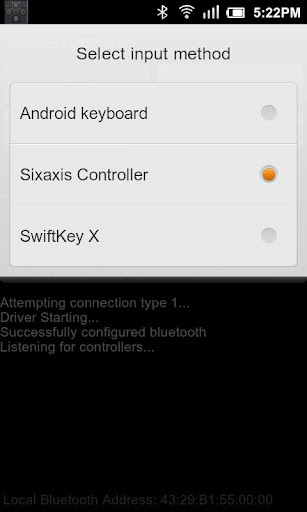
Finally the wait is over… The ultimate gaming experience awaits! Now you can play games on your phone the way they were meant to be played! Sixaxis Controller allows you to use your Sixaxis and DualShock 3 controllers in many of your favourite games and applications.

Please read all instructions carefully.
Not all devices are supported, therefore it is strongly recommended that you try the ‘Sixaxis Compatibility Checker’ (available for free in the Android Market) before purchasing this app.

IMPORTANT
  • ROOT access is required!!!

  • Due to the way pairing is done with the controllers, you need to manually pair your controller with the PC utility ‘SixaxisPairTool’ (available on the website) and a mini-USB cable. Android 3.1+ users can also pair directly on their devices via USB.

  • It is highly recommended that you use an ORIGINAL controller. Many after market controllers will not work with this app. If you get a ‘Client connected: 1′ message, but the lights on your controller continue to flash, it is almost certainly not an original Sony controller.

  • Be sure to read the instructions in the help menu carefully.
Features:
Up to four Sixaxis and DualShock 3 controllers supported at once.
Support as a native gamepad in Android 3.1+ devices. Full support for analog sticks and analog triggers.
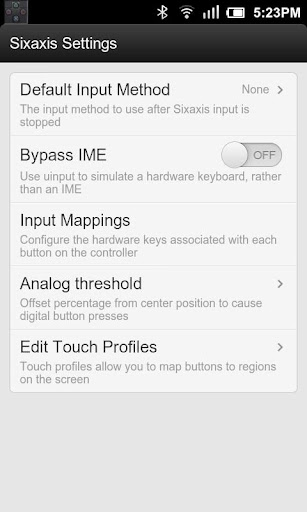
Keyboard emulation. Map all buttons and sticks to almost any key available in Android.
Mouse emulation. Configure a button to activate the mouse pointer on devices that support mice (most tablets, and many phones should work).
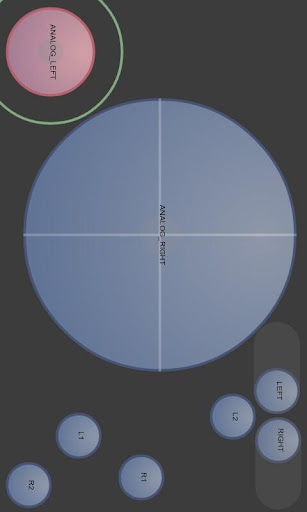
Touch emulation allows you to map buttons and analog sticks to the screen. Play all your favourite games with full analog support, even those without built-in controller support!

This product is not affiliated with, nor authorized, endorsed or licensed in any way by Sony Corporation, its affiliates or subsidiaries. All trademarks are property of their respective holders.

What’s in this version : (Updated : Sep 2, 2013)
  • Should fix touch emulation on Android 4.3 devices. If you’re still experiencing touch emulation issues since upgrading to Android 4.3, please email me your device and firmware details. It would also be useful if you could send output from the ‘env’ command run via a terminal app or using adb shell.
Required Android O/S : 2.2+


Screenshots :


Download : 184Kb APK


Sixaxis Controller v0.6.6 APK

SoundWire (full version) v1.8.6 APK


SoundWire lets you send any music or audio (“what you hear now”) from your PC to your Android mobile devices, or other PCs!


SoundWire (full version)
play.google.com.SoundWire
SoundWire lets you send any music or audio (“what you hear now”) from your PC to your Android mobile devices, or other PCs. Use it as:
  • A wireless extension of your PC-based music system for parties

  • A remote headphone amp

  • A way to listen to music and movies from your computer anywhere in your house or out on your deck.
SoundWire Server for Linux is now available!

The full version of SoundWire enables unlimited Opus audio compression, can handle up to 10 connections at the same time, and has no ads or interruptions. It also has a special Pro Mode to set and display buffer latency precisely in milliseconds. You can use any music player on your PC or laptop like Grooveshark, Spotify, YouTube, or iTunes and feed the live sound directly to your Android device. SoundWire lets you listen to the free versions of Grooveshark and Spotify on your phone.

SoundWire has low latency (audio delay), which means it can even be used to listen to the soundtrack of a movie or YouTube video while you watch (**Note you must adjust the buffer size in app settings for low latency). There are other uses too… SoundWire can work as a baby monitor or listening device with a computer such as a netbook that has a built-in microphone. Or hook up turntables to your computer’s line input and stream a live DJ set to another part of the house. SoundWire can also be used over 3G/4G networks.

Features:
  • Live audio capture and streaming

  • Not locked to one music player

  • Excellent sound quality (44.1 / 48 kHz stereo 16-bit, PCM or Opus compression)

  • Low latency

  • Easy to use

  • Compression option greatly reduces network usage

  • x86 and MIPS support, send music from PC to PC running virtualized app (Linux/Windows)

  • Record SoundWire audio to a file (MP3 or WAV)
Before using SoundWire on your Android device you must install and run the SoundWire Server application on the Windows/Linux PC or laptop which is your source of music, web audio streaming, or other sounds. Download the server at : http://georgielabs.cjb.net

For more information see the getting started guide at http://georgielabs.cjb.net/SoundWireHelp.html

What’s in this version : (Updated : Aug 26, 2013)
  • Made Android built-in EQ work with SoundWire on Jelly Bean.

  • Updated server address box to not have focus by default. Now shows “auto-locate” if the last connection used auto-locate (and on first run).

  • Fixed bug which could cause the app or connection to stop responding
Required Android O/S : 1.6+


Screenshots :


Download : 1.2Mb APK


SoundWire (full version) v1.8.6 APK

Krome v2.2 APK


Krome is a simple app that allows you to sync your Android notifications with Chrome on your PC!


Krome
play.google.com.krome
THIS APP NEED CHROME WITH RICH NOTIFICATIONS ENABLED!

Check your browser version and update it to the newest one (rich notifications are available on Chrome v27 on Windows and are coming soon to Mac OS)!
Krome is a simple app that allows you to sync your Android notifications with Chrome on your PC. Just install this application on device, download Chrome extension and you are ready to go!

After configuration you can disable selected applications from showing notifications in Chrome. Krome also allows you to reply to SMS messages right from your browser – just click button below notification, write your reply and click send!

SECURITY / PRIVACY
The app uses a secure connection to transfer the data. All notifications are sent via Google Cloud Messaging service. We keep small portions of data (app icons etc) on our servers and right after receiving notification on Chrome, we delete them.

App allows to send SMS messages, but you can disable that functionality in settings.


What’s in this version : (Updated : Aug 21, 2013)
  • Changed timeouts

  • Fix for force close at start with changing “spam” app

  • Also, Google is changing something on Chrome Web Store and all apps are not available to download. Please, be patient.

  • New update to encryption (it should work better now)

  • New main website for Krome (www.krome.mobi) with how-to install instructions and common issues

  • Updated notification count for day

  • Added multiselection and select/unselect all option

  • Improved performance of app
Required Android O/S : 4.0+


Screenshots :
Krome - screenshot Krome - screenshot


Download : 600Kb APK


Krome v2.2 APK

Full Screen Caller ID Pro - BIG! v3.0.1 APK


Beautify your caller ID screen!


Full Screen Caller ID – BIG! Pro 
play.google.com.screencallerkey
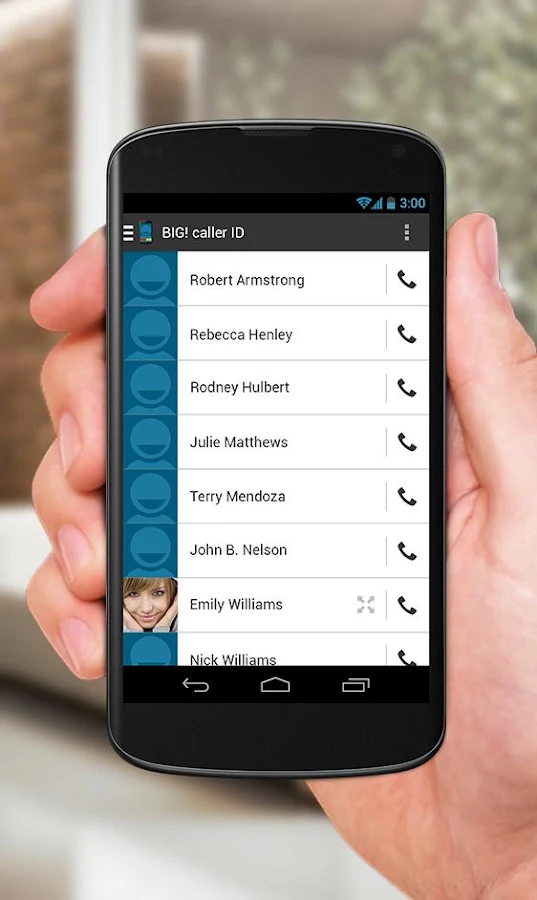
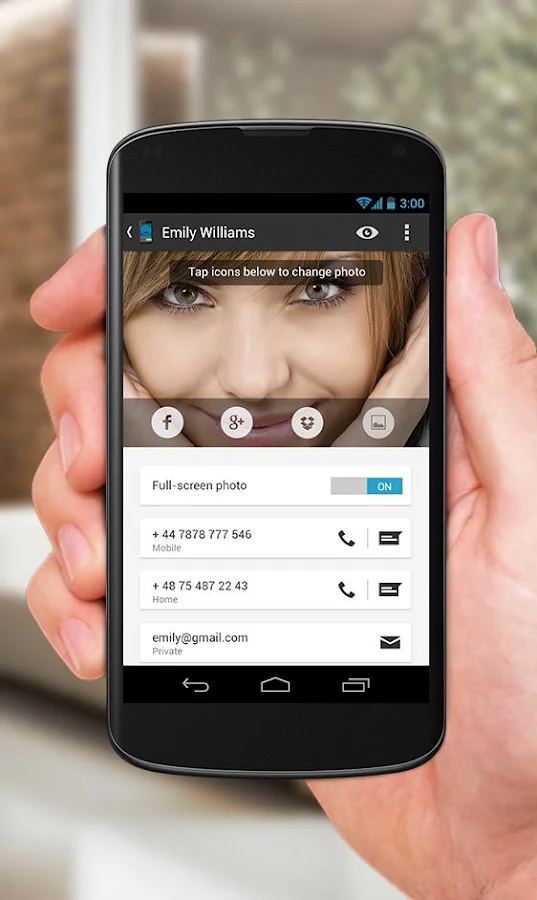
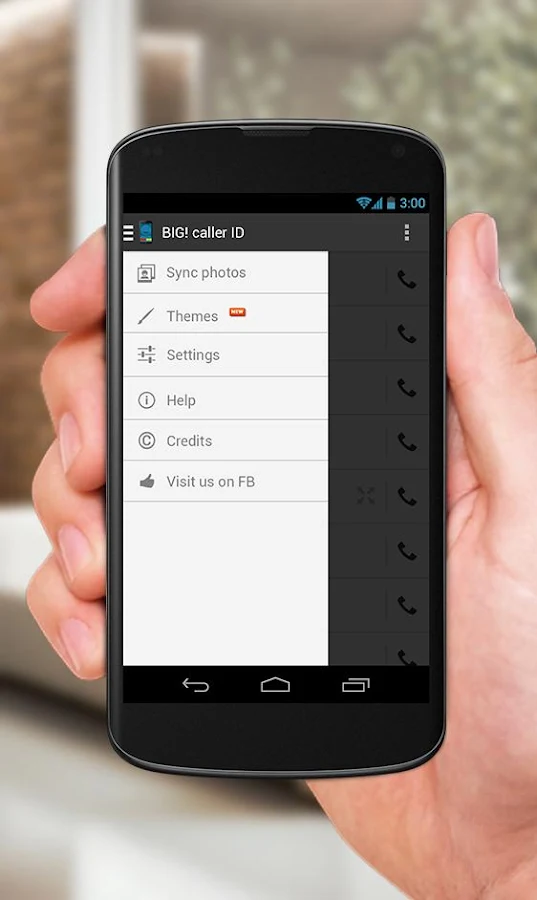
Set a full-screen photo for your friends and enjoy vivid and high definition caller photos.

Connect with Facebook to download friends photos.
Doesn’t work with MIUI ROM – they block third party apps of this type.

Features:
  • connect with facebook, and download full-screen photos automatically(and browse albums!),

  • customize caller ID screen content,

  • switch between caller screen Themes, choose click or slider,

  • choose full screen caller ID for all or only a few contacts,

  • full screen caller for incoming calls,

  • full screen caller for outgoing calls.
Themes Editor


  1. go to Themes,

  2. select and edit,

  3. move buttons by holding and dragging,

  4. switch to slider with a single click on a button (FIRST you need to drag a button to the edge of the screen)

  5. change default contact photo from the MENU button,

  6. switch to other states of a call by swiping left or right,

  7. reset to default from the MENU button
What’s in this version : (Updated : Sep 2, 2013)
  • Version 3.0 with a completely redesigned UI and more features of a stock contacts list. Now you can call, text, email and more through your friends’ profiles. Tell us what you think in comments!

  • And:

  • Google Plus integration

  • Dropbox integration

  • Timer added to call screen
Required Android O/S : 2.1+


Screenshots :
Full Screen Caller ID - BIG! - screenshot Full Screen Caller ID - BIG! - screenshot

Download : 1.5 APK


Full Screen Caller ID Pro - BIG! v3.0.1 APK

Photo Frame : Easy Collage v36 APK


Would you want to share your photos to facebook, twitter and other SNS service only one photo?


Easy Photo Frame:Collage 
play.google.com.enaphotomerge
Would you want to share your photos to facebook, twitter and other SNS service only one photo?
Then your choice is ‘Easy Photo Merge’.
As you know, there are lots of photo editor apps in the market, but I swear ‘Easy Photo Merge’ is easiest way to merge photos.

Just use it right away and feel happy.
  • About 40 layouts

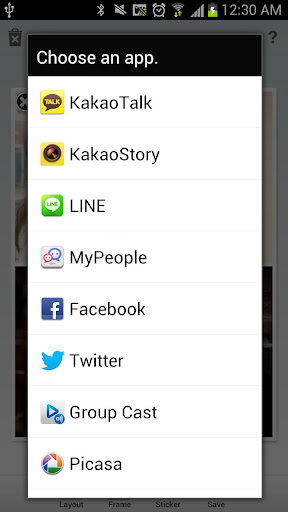
  • Share to SNS services ( facebook, twitter, instagram and so on )

  • Save to gallery
What’s in this version: (Updated : Sep 2, 2013)

  • Add frame ratios to support wide ratio ( 3:2, 4:3, 16:9 )

  • Change the app name from ‘Easy Photo Merge’ to ‘Easy Photo Frame’
Required Android O/S : 2.2+


Screenshots :


Download : 1.4Mb APK


Photo Frame : Easy Collage v36 APK

Circuitry v2.0.1 APK


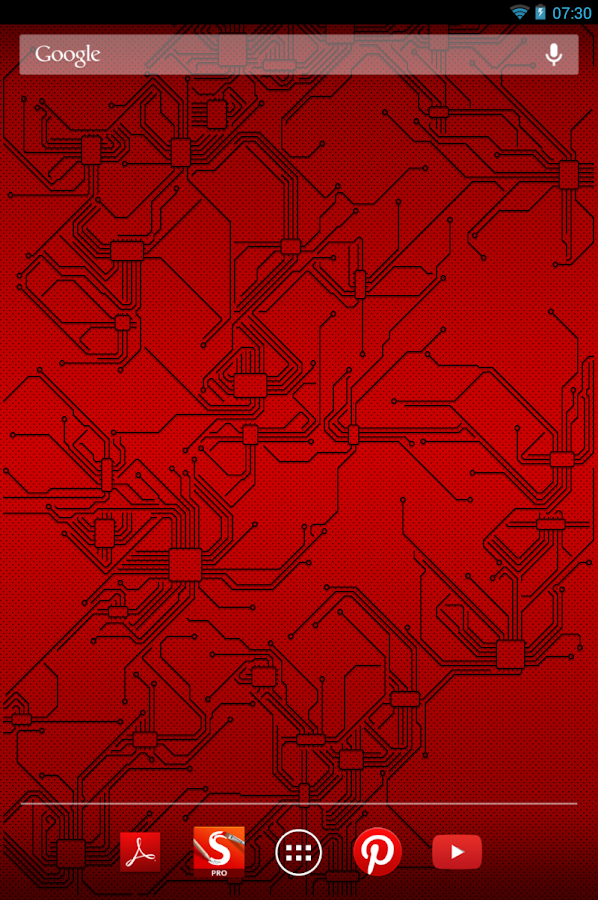
Circuitry is a brand new abstract live wallpaper for your android phone!


Circuitry
play.google..circuitry
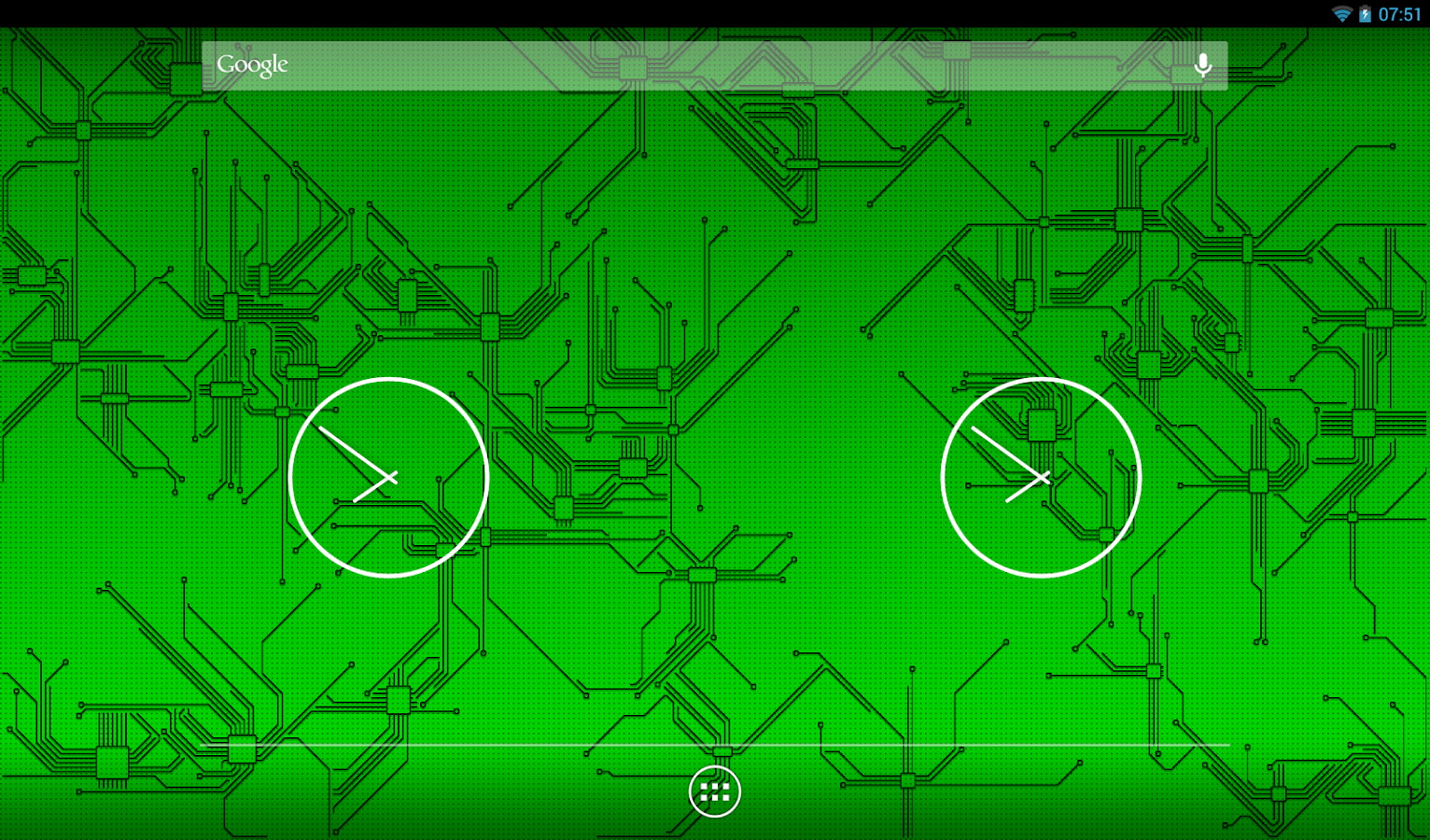
Hi-tech design of printed circuit boards made with passion of modern android. All circuits are drawn pixel by pixel so the image will be always sharp on any display. And every time you get absolutely new shapes!

8 color themes are available. And we will add more in future.

What’s in this version : (Updated : Aug 31, 2013)
  • All new Renderscript Engine !

  • All new Theme presets

  • Behavior settings

  • Additional full graphical control purchase

  • Any screen size support

  • Dramatic performance improvements
Required Android O/S : 2.1+


Screenshots :
Circuitry - screenshot
Circuitry - screenshotCircuitry - screenshot Circuitry - screenshot


Download : 1.5Mb APK


Circuitry v2.0.1 APK

Fast Outlaw: Asphalt Surfers v1.1 [Mod Money] APK


Do you think that reaching the maximum velocity on a busy highway is easy


Fast Outlaw: Asphalt Surfers
play.google.com.car
Find out, while avoiding various dangers – including a cargo plane dropping huge crates with military equipment. Nobody has been able to reach the top speed so far – join the race for the record speed and record golden crates collected, and share them with your friends!
Choose from a selection of aggressive sport cars, and spend your collected golden crates to improve and customize them. Equip your car with spoilers and neons, change their carpaint, to improve and customize them, and to show them off to your friends. Buy extra abilities to break even more records!

Required Android O/S : 4.0+


Screenshots :
Fast Outlaw: Asphalt Surfers - screenshot thumbnailFast Outlaw: Asphalt Surfers - screenshot thumbnailFast Outlaw: Asphalt Surfers - screenshot thumbnail


Download : 30Mb APK


Fast Outlaw: Asphalt Surfers v1.1 [Mod Money] APK